Run eight agents and answer them from the train
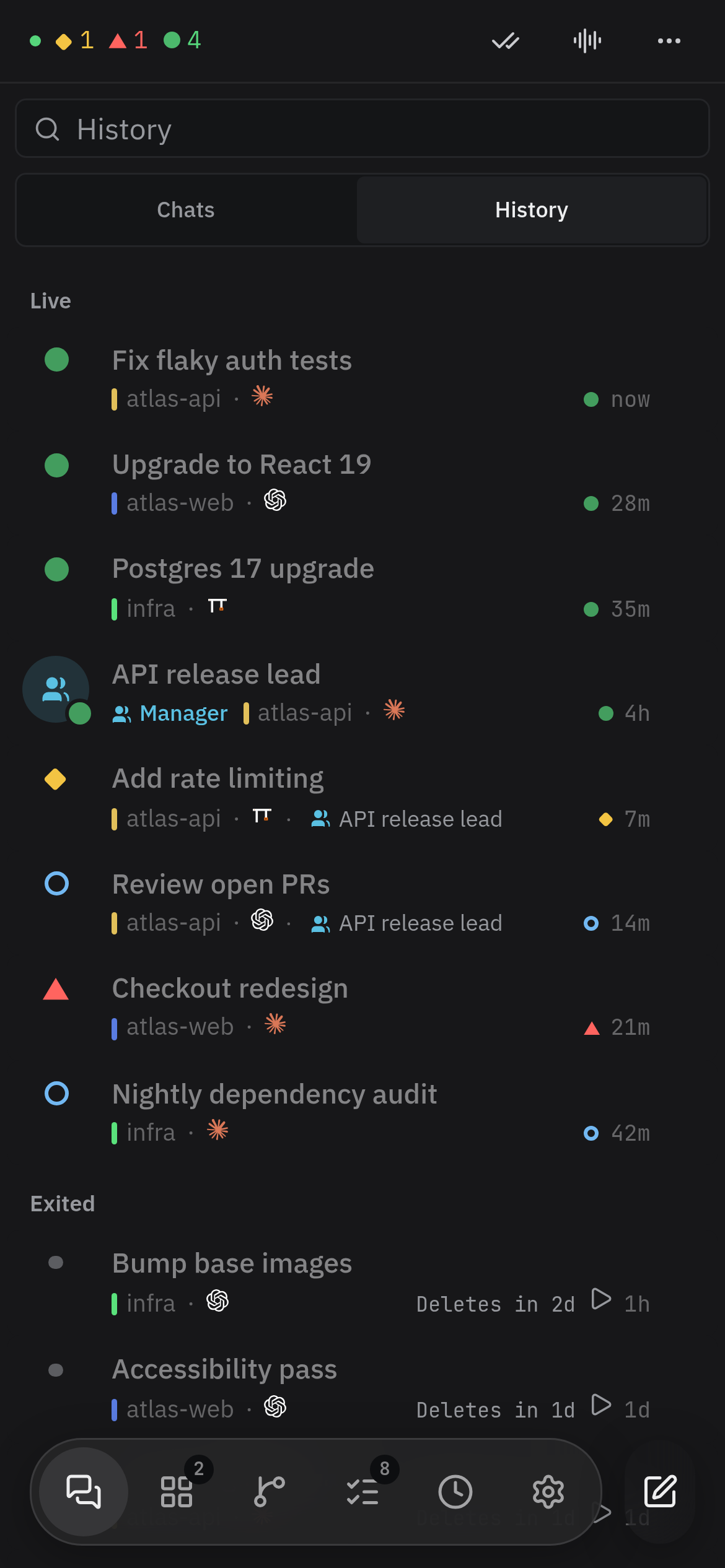
Vendetta lists every agent across your projects by what it needs. The ones that wait for you reach your phone.
How it goes
Open the chooser
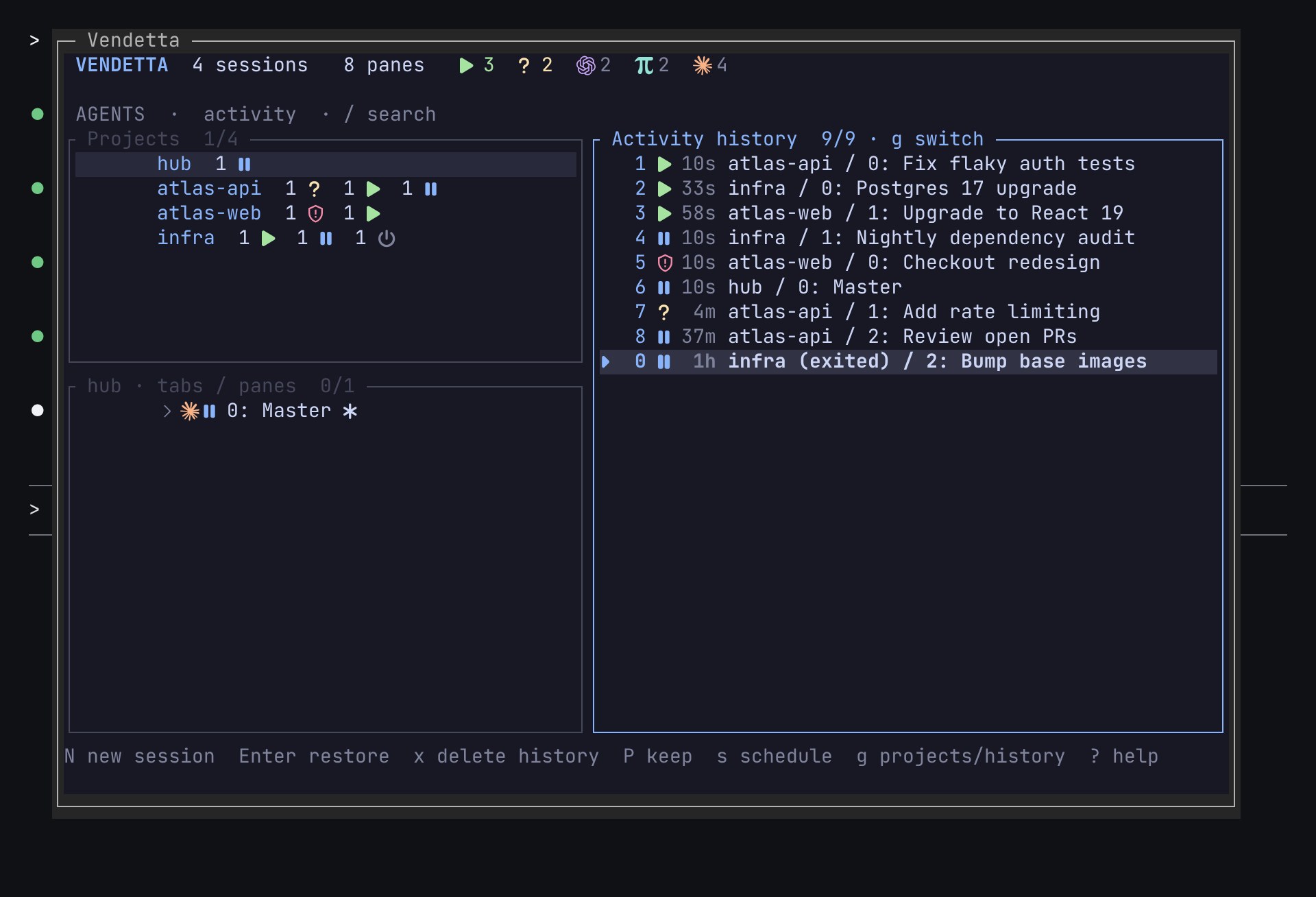
vendetta tui, or a key you bind to it such as Alt s, shows every project with how many agents wait, work, and are ready.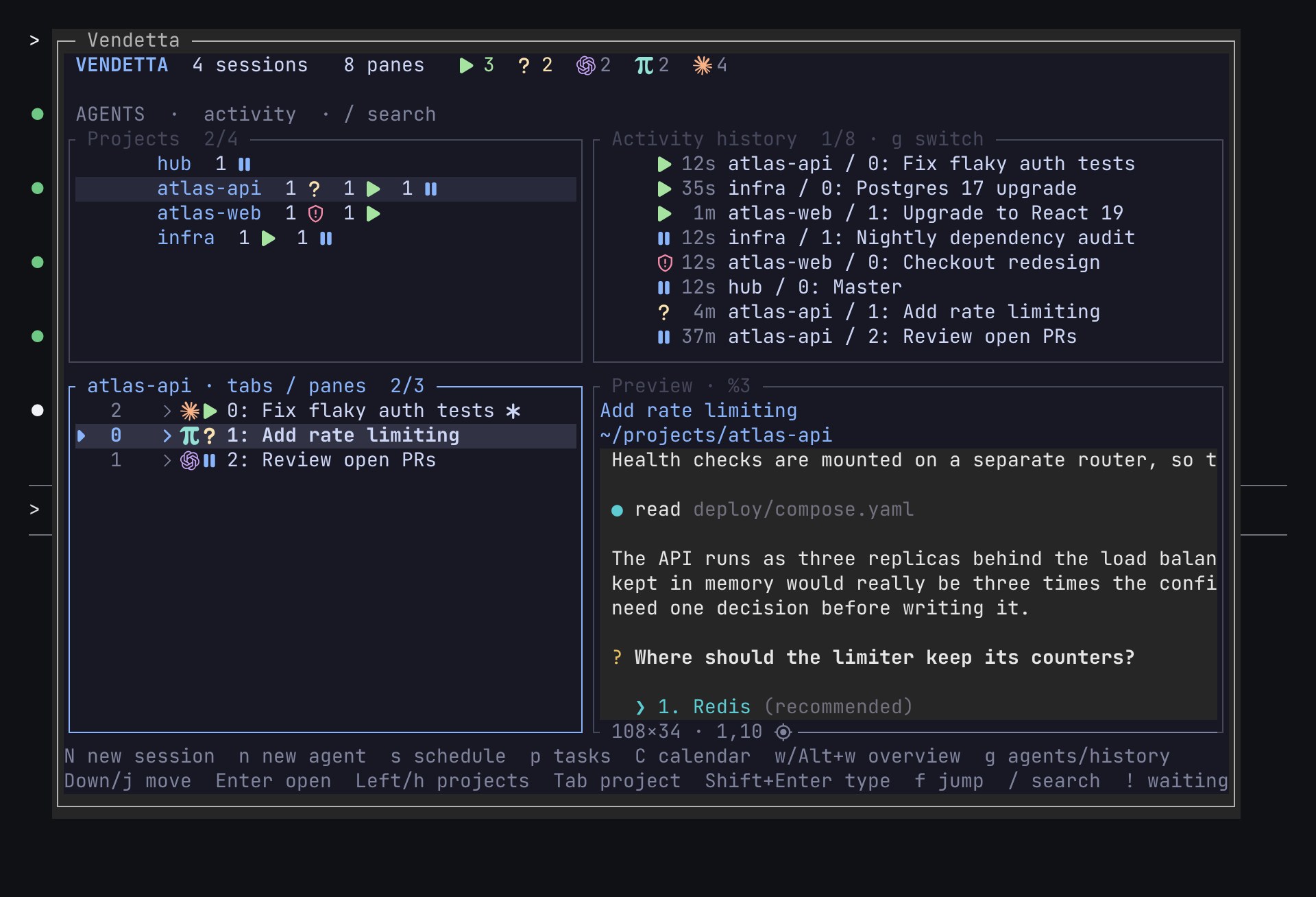
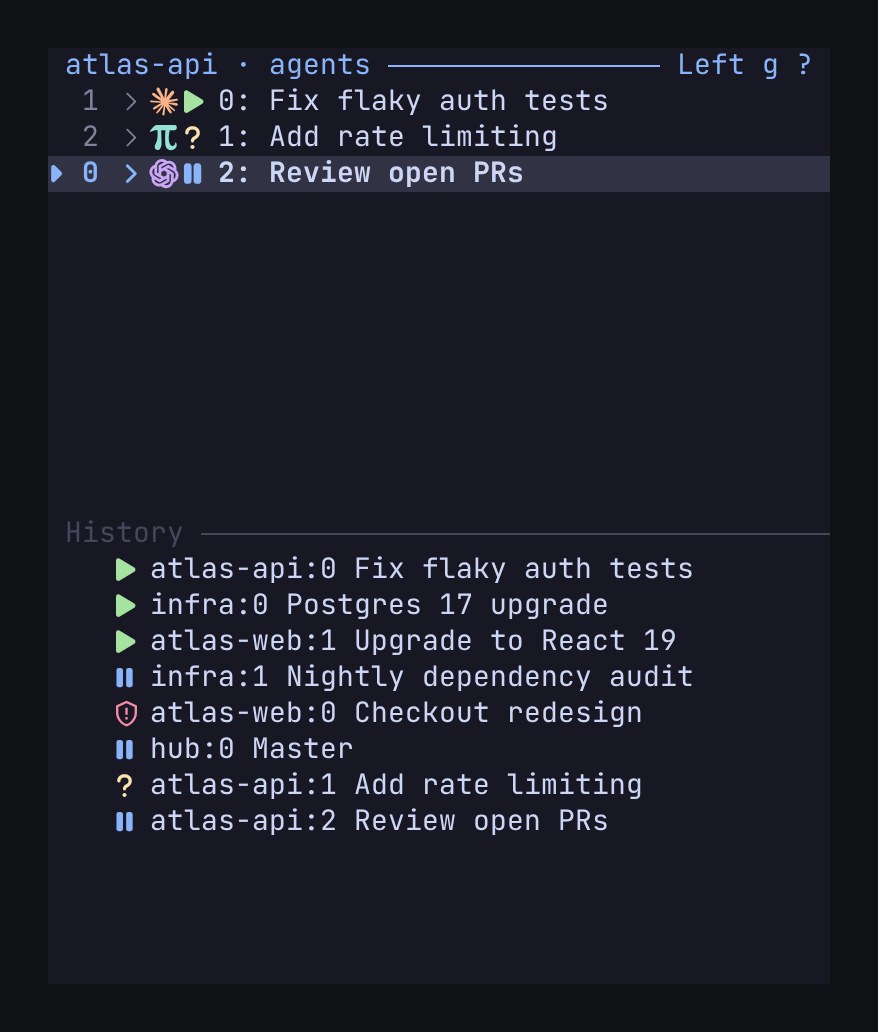
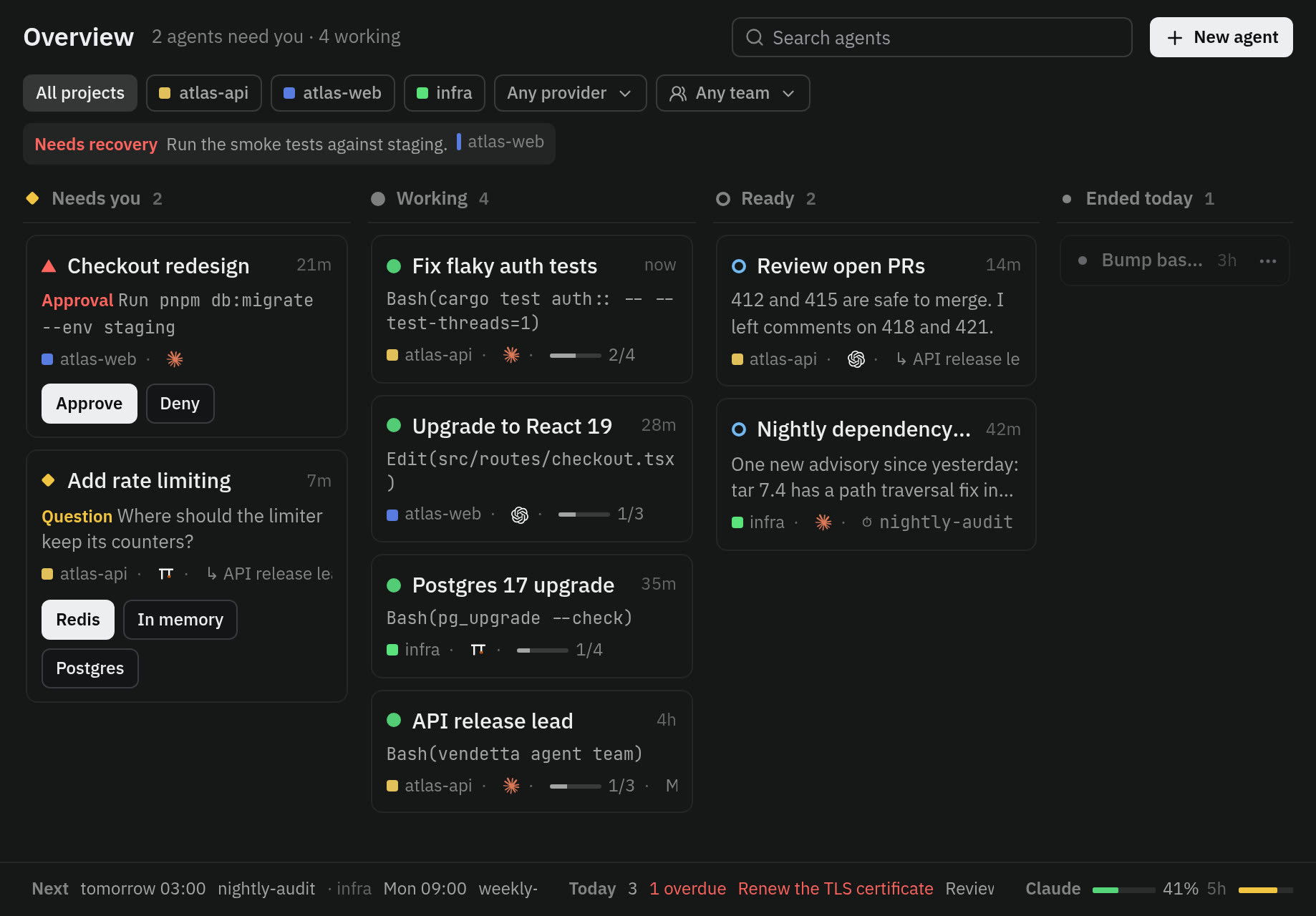
See who's waiting
The overview puts the agents that need you in the first lane.
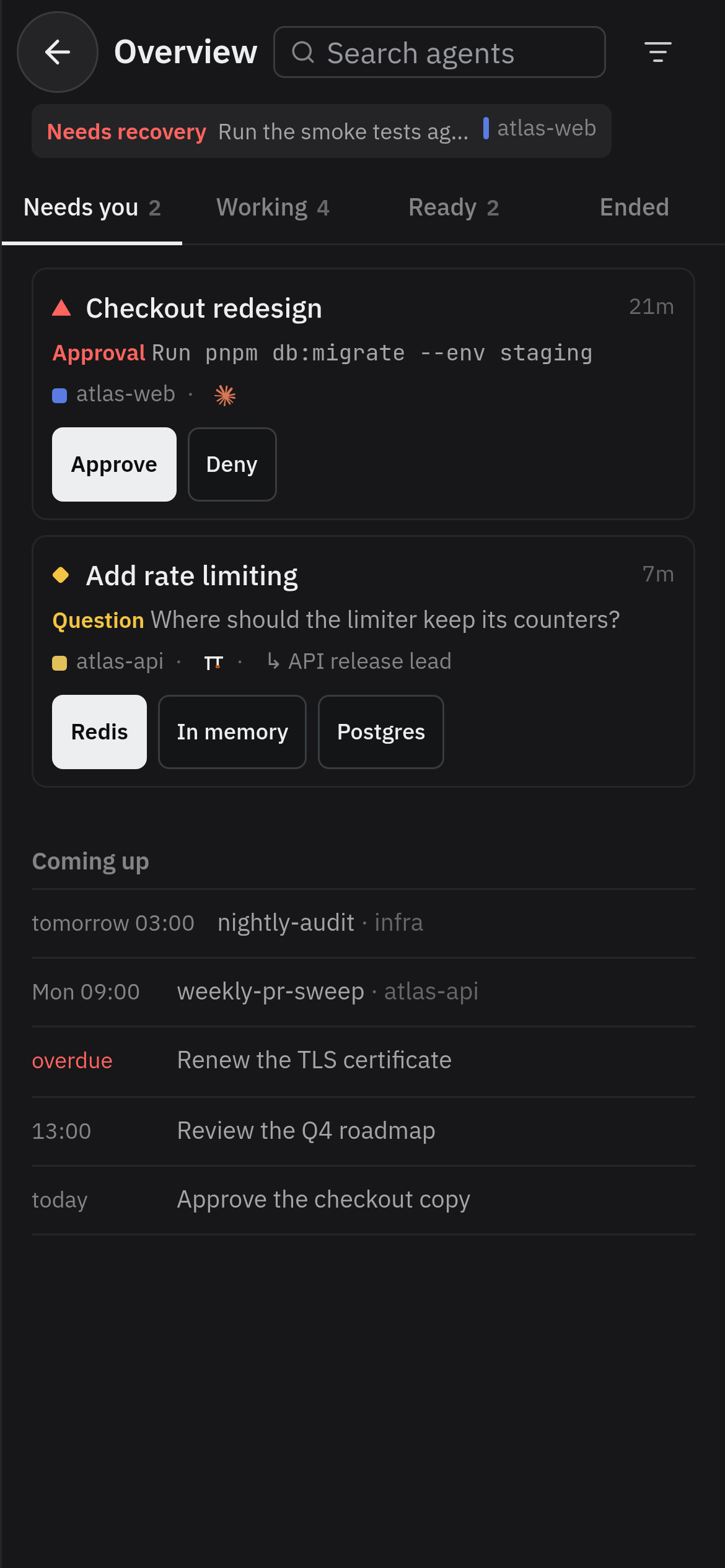
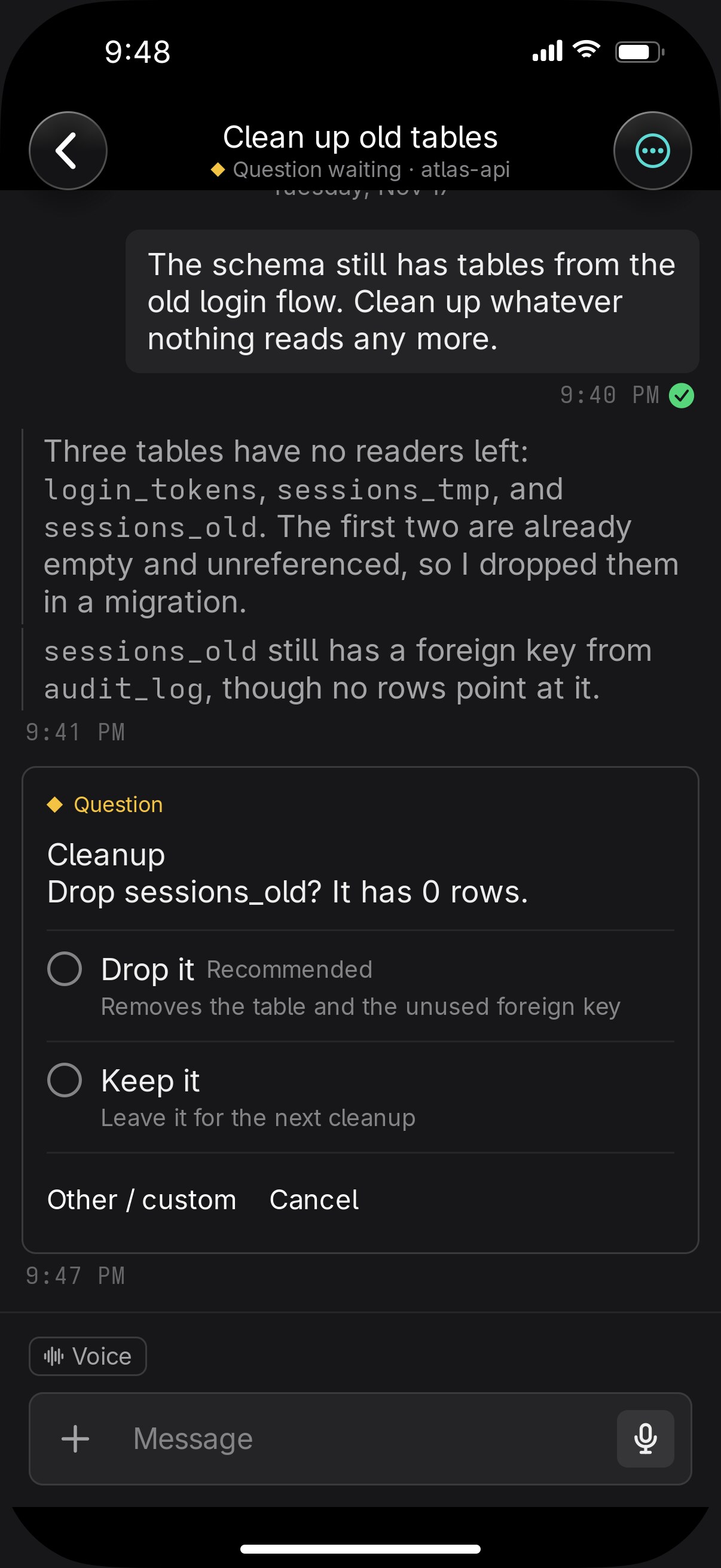
Answer on your phone
The question is a card with buttons. Your answer goes to that exact process.
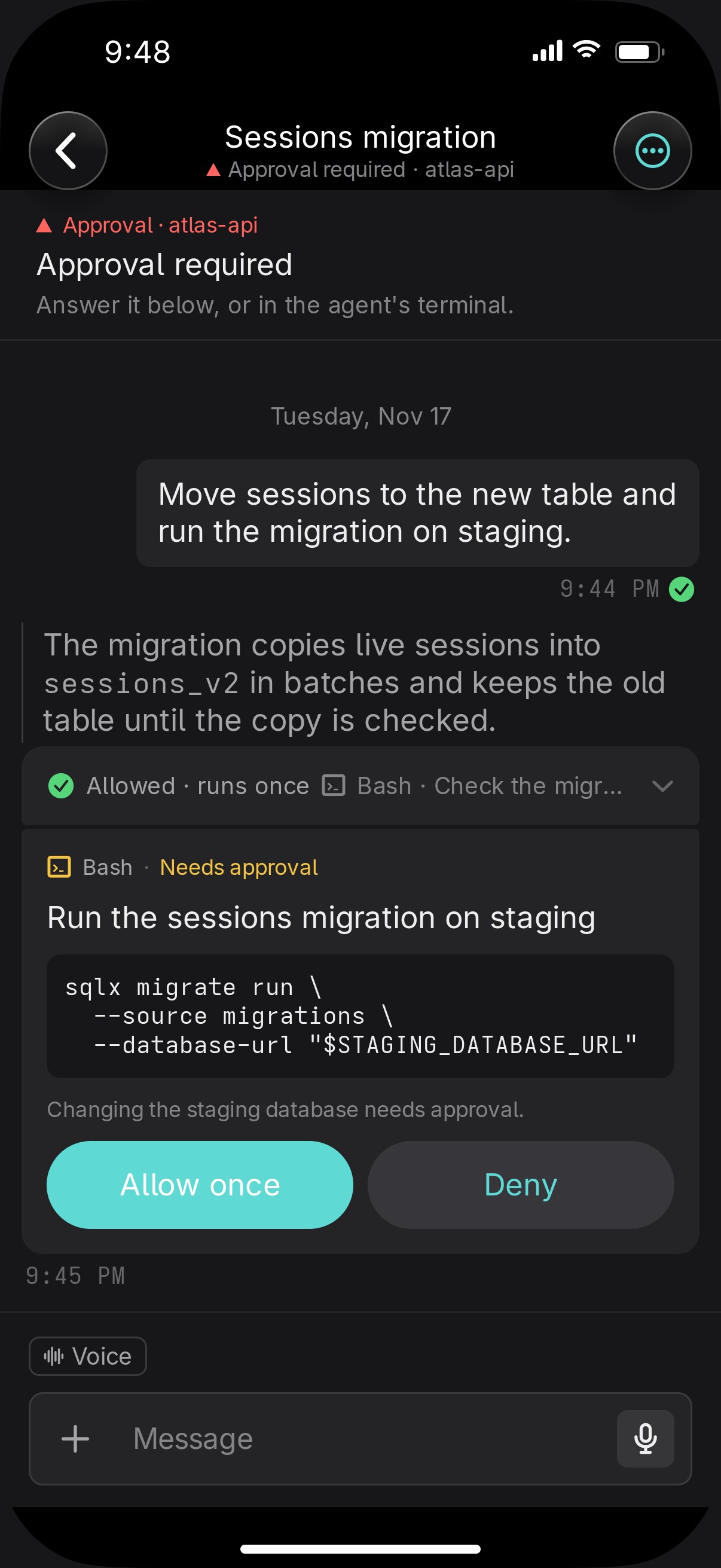
Approve the command
Read what Claude wants to run and why, then Allow once or Deny.
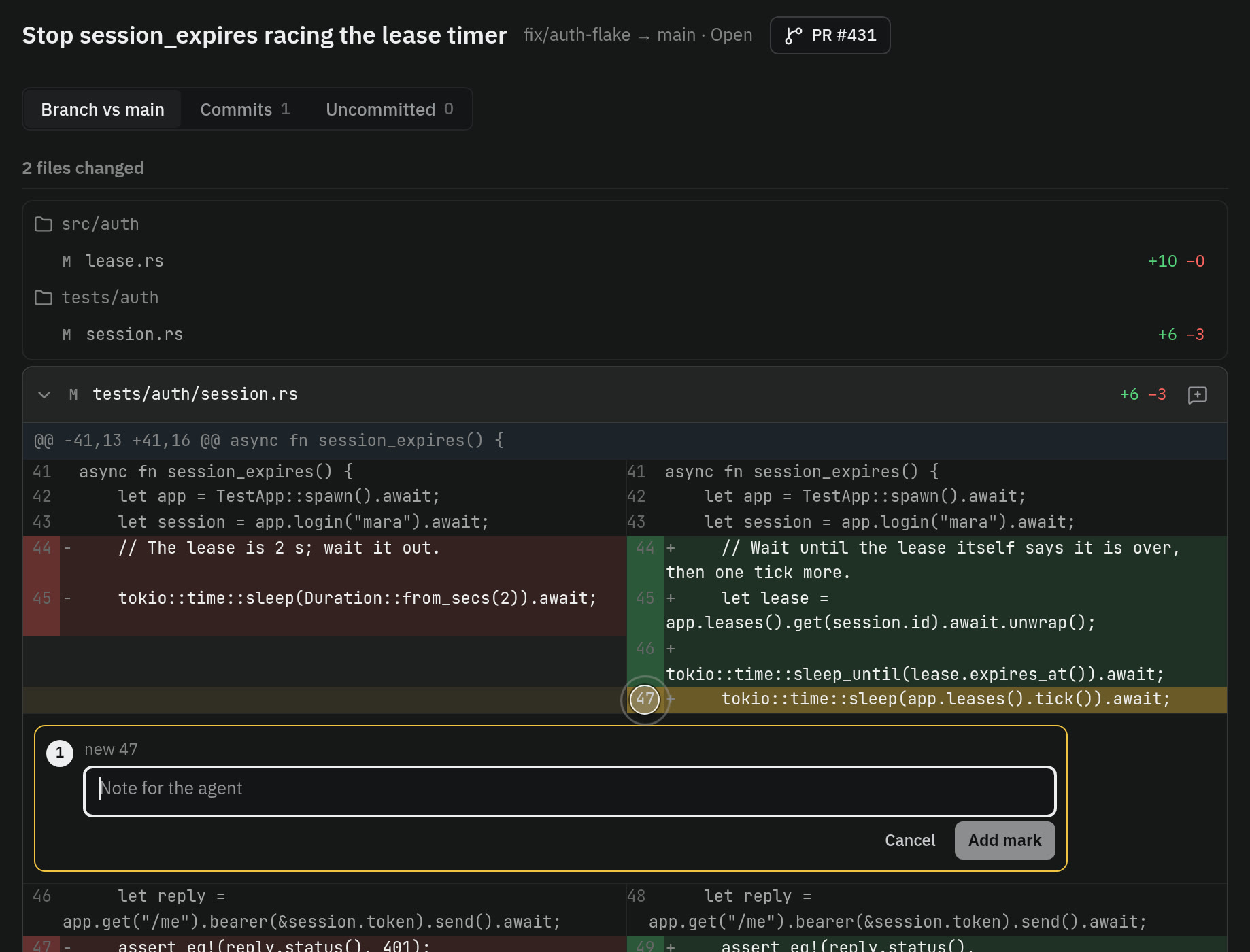
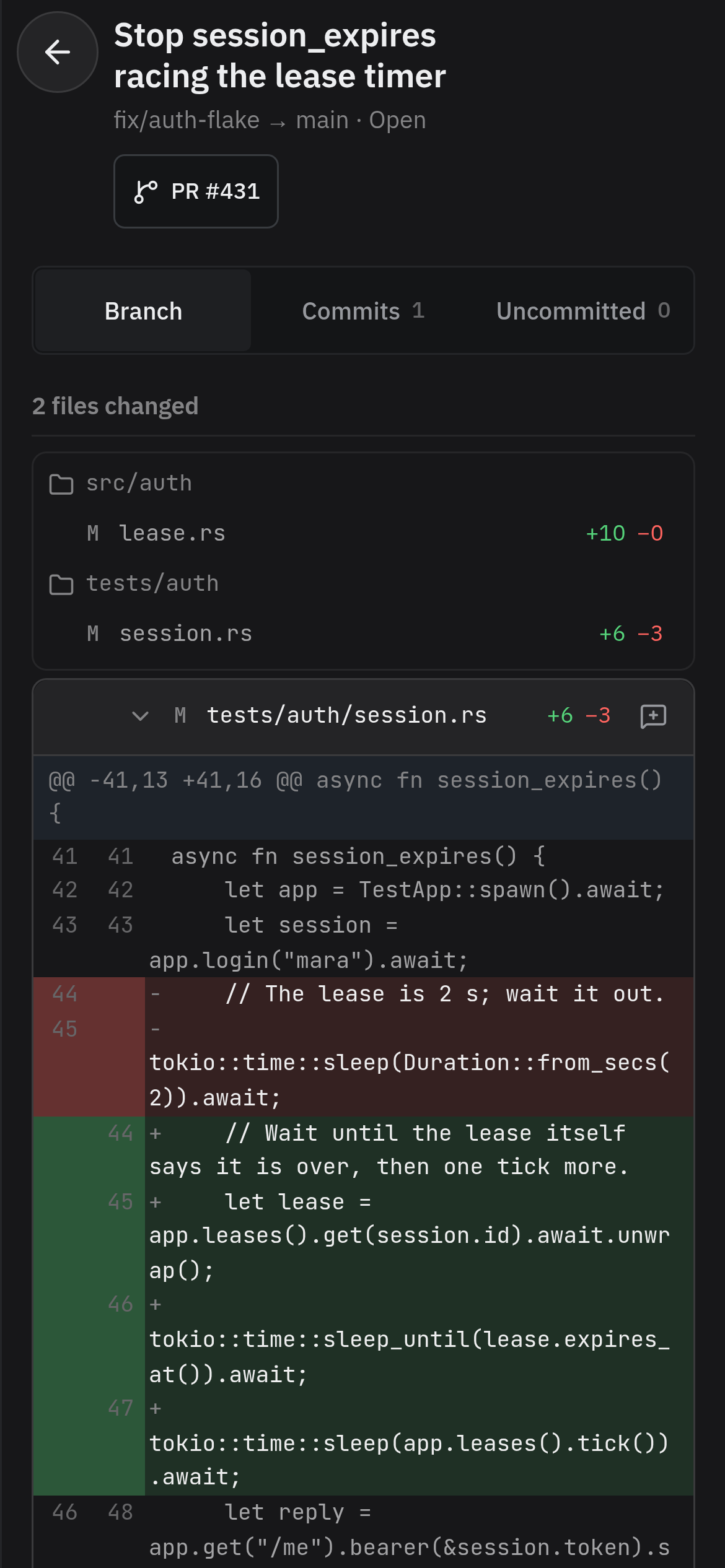
Read the diff
Committed work shows as a change. Mark a line and the agent gets your comment.
Restore yesterday's conversation
Ended conversations stay listed. Enter brings back the exact one.
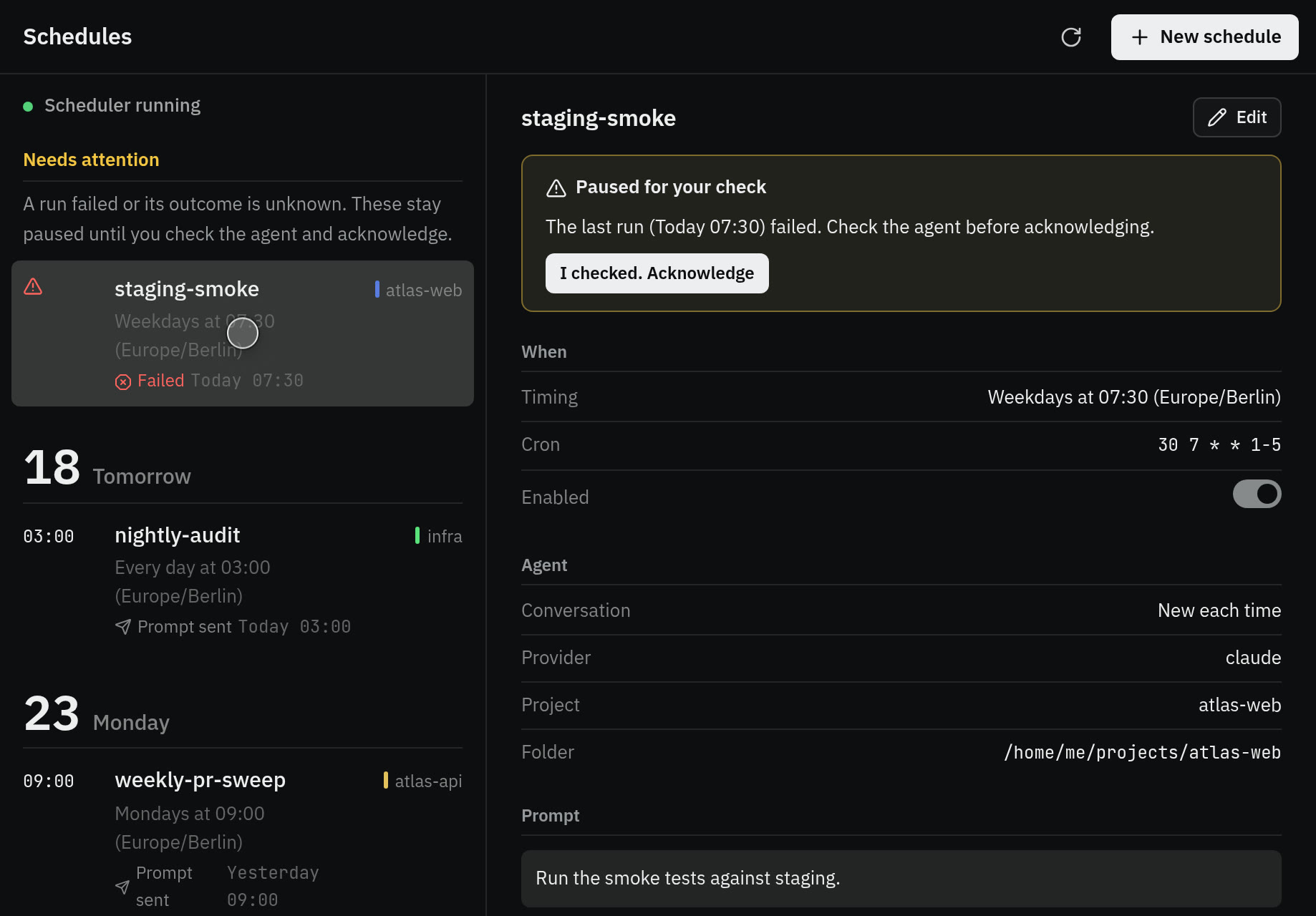
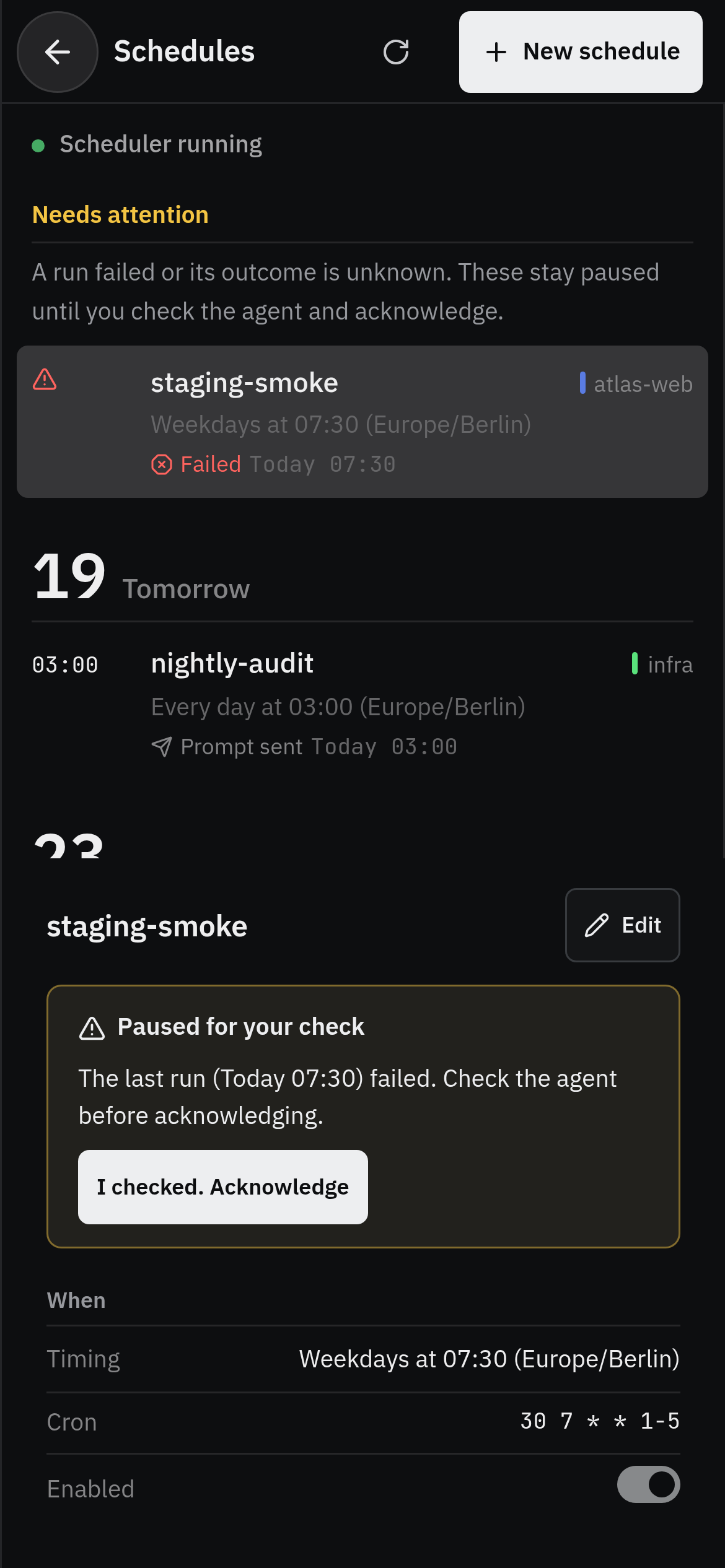
Schedule the nightly check
A schedule sends the prompt every night and records each run. A failed run stops until you look.
What it needs
| A computer that stays on | Linux or macOS |
| The agents you already use | Claude Code, Codex, omp, OpenCode, Gemini CLI, Aider |
| A phone | The iPhone app on TestFlight, or any browser |
Install it and open the chooser
$ git clone https://github.com/vendetta-sh/vendetta.git
$ cd vendetta && bash install.sh
$ vendetta notify start
$ vendetta tui